How To Create Multi-Disc Albums
What it is
Multi-Disc Album support lets you create releases with multiple discs (volumes) — each with its own disc number and track ordering. You can group up to 10 discs into one release. This ensures your multi-disc, box-set, double album, or legacy collection is delivered correctly and displayed properly on DSPs.
Why it matters
- Preserves the original structure of physical or legacy albums (Disc 1, Disc 2, etc.).
- Improves the fan experience with accurate disc and track sequencing.
- Removes the need for manual workarounds when delivering complex releases.
- Keeps metadata consistent across all DSPs, compilations, and reissues.
How it works
-
When creating a release, select Add new disc.
-
Assign tracks to each disc and set the correct order. Track numbering automatically resets with each disc (starting from Track 1).
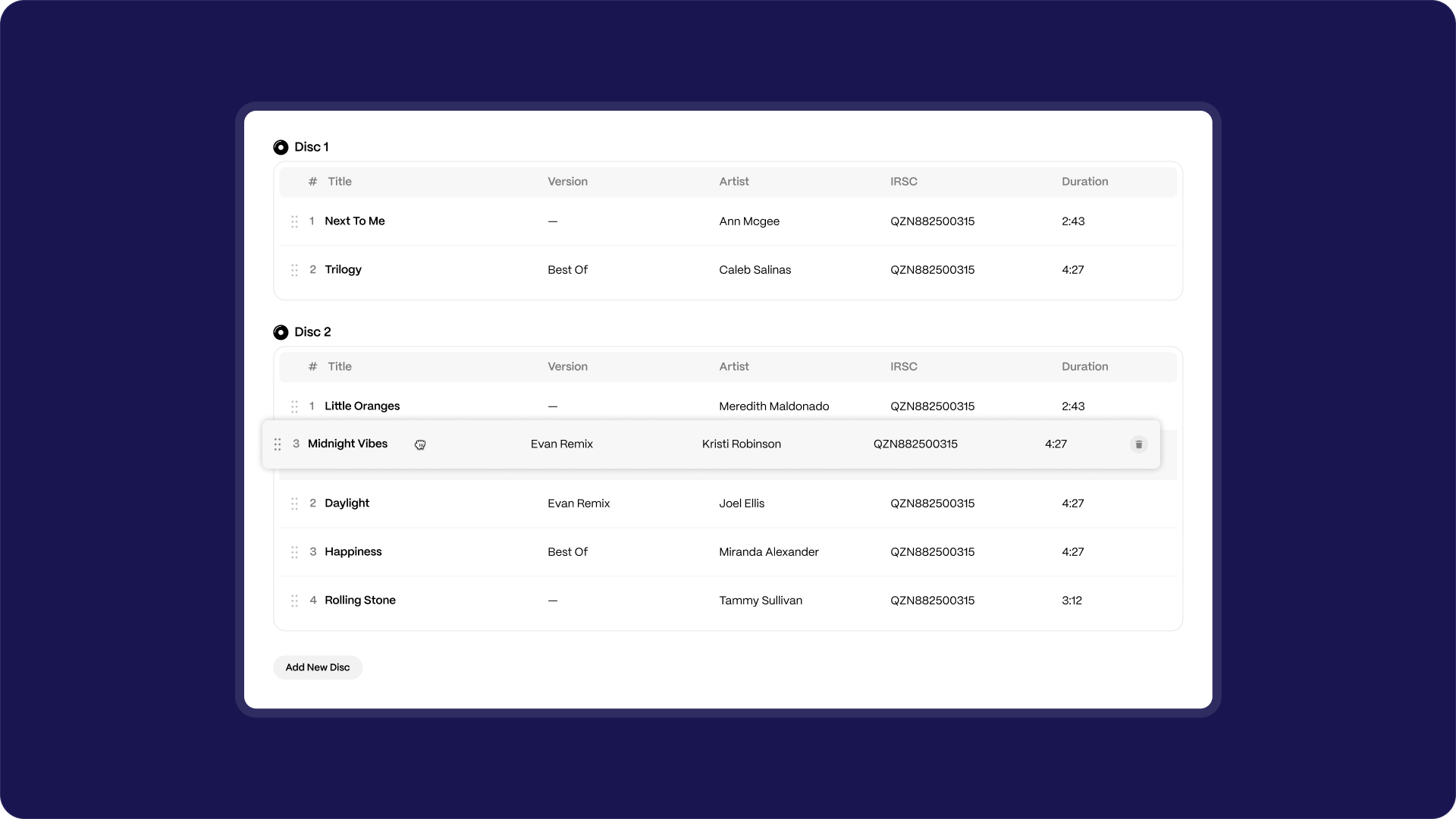
- The release has one UPC for the entire set. Each track still carries its own ISRC.
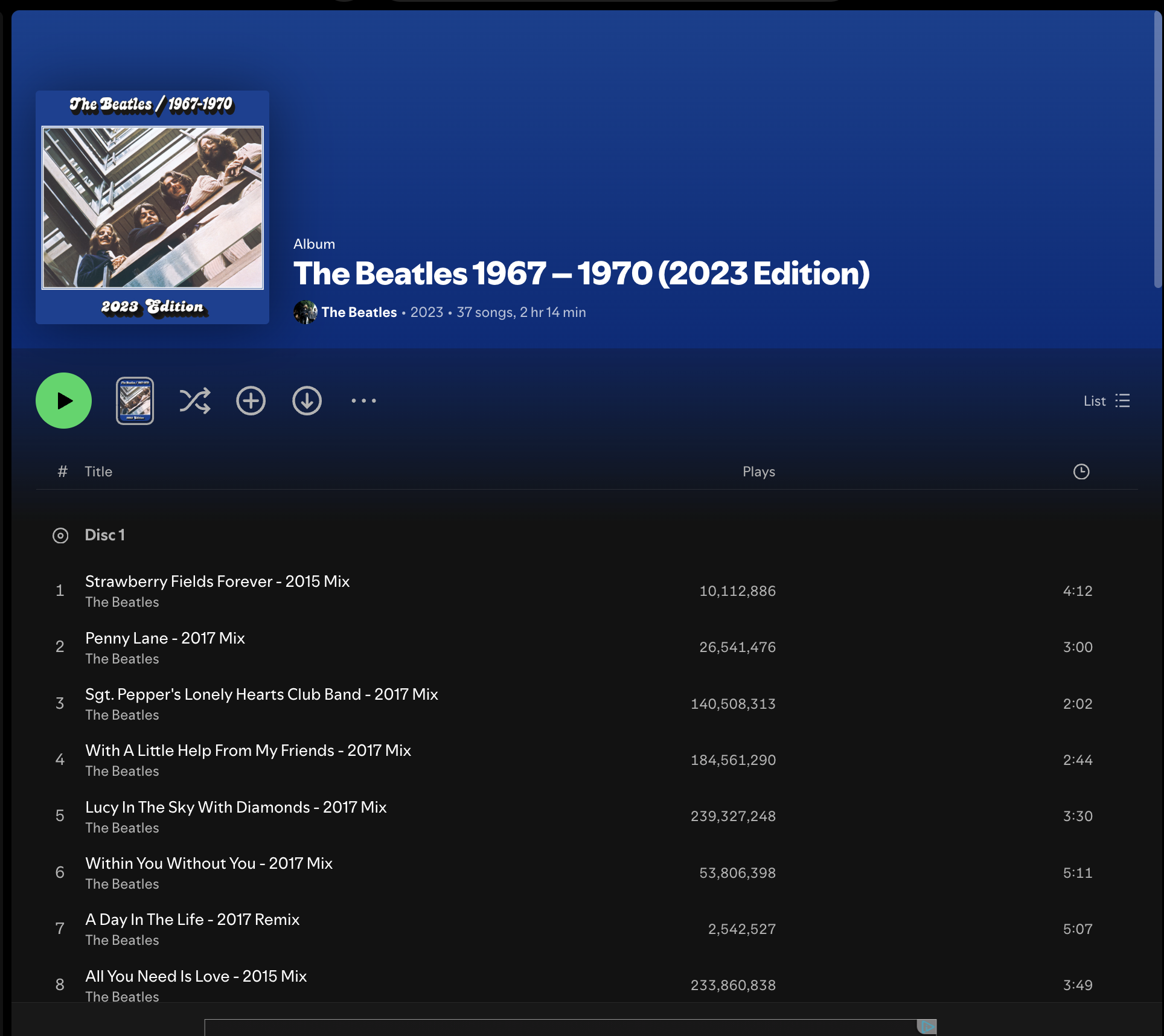
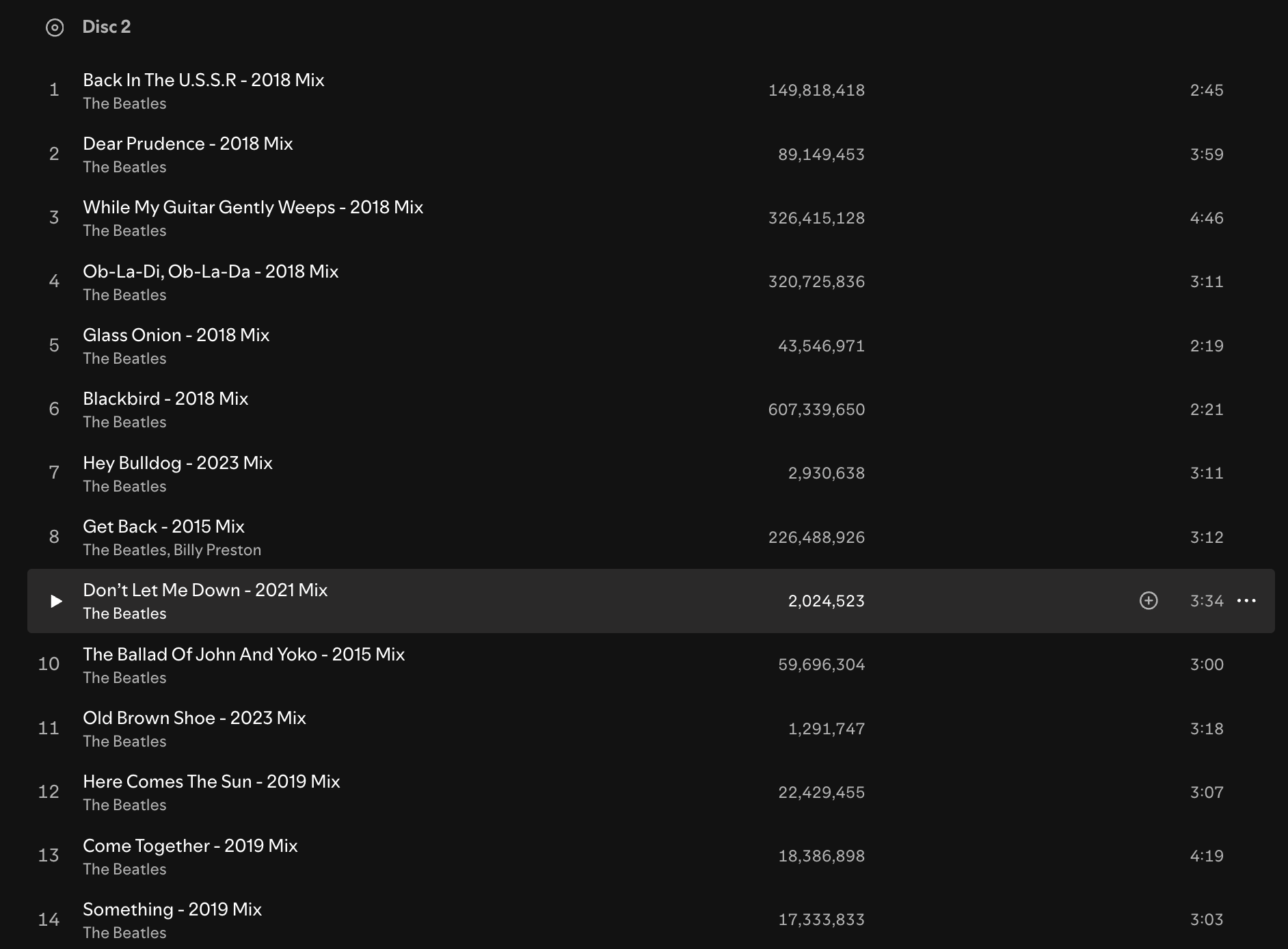
- On delivery, DSPs will show the discs in order (Disc 1, Disc 2, etc.) following DDEX standards.
FAQs
Q: How many discs can I include in one album?
A: Up to 10 discs per release.
Q: Will fans see disc numbers on DSPs?
A: Yes. Multi-disc albums are formatted in line with DSP requirements, so they display as Disc 1, Disc 2, etc., where supported.
Q: Do I need multiple UPCs for each disc?
A: No. The whole set uses a single UPC.
Q: Can I still deliver individual tracks?
A: Yes. Each track has its own ISRC and can be delivered individually as part of the multi-disc set.