How to edit a Release that is still in delivery
1 min read
You can edit a release while it's processing in the distribution queue.
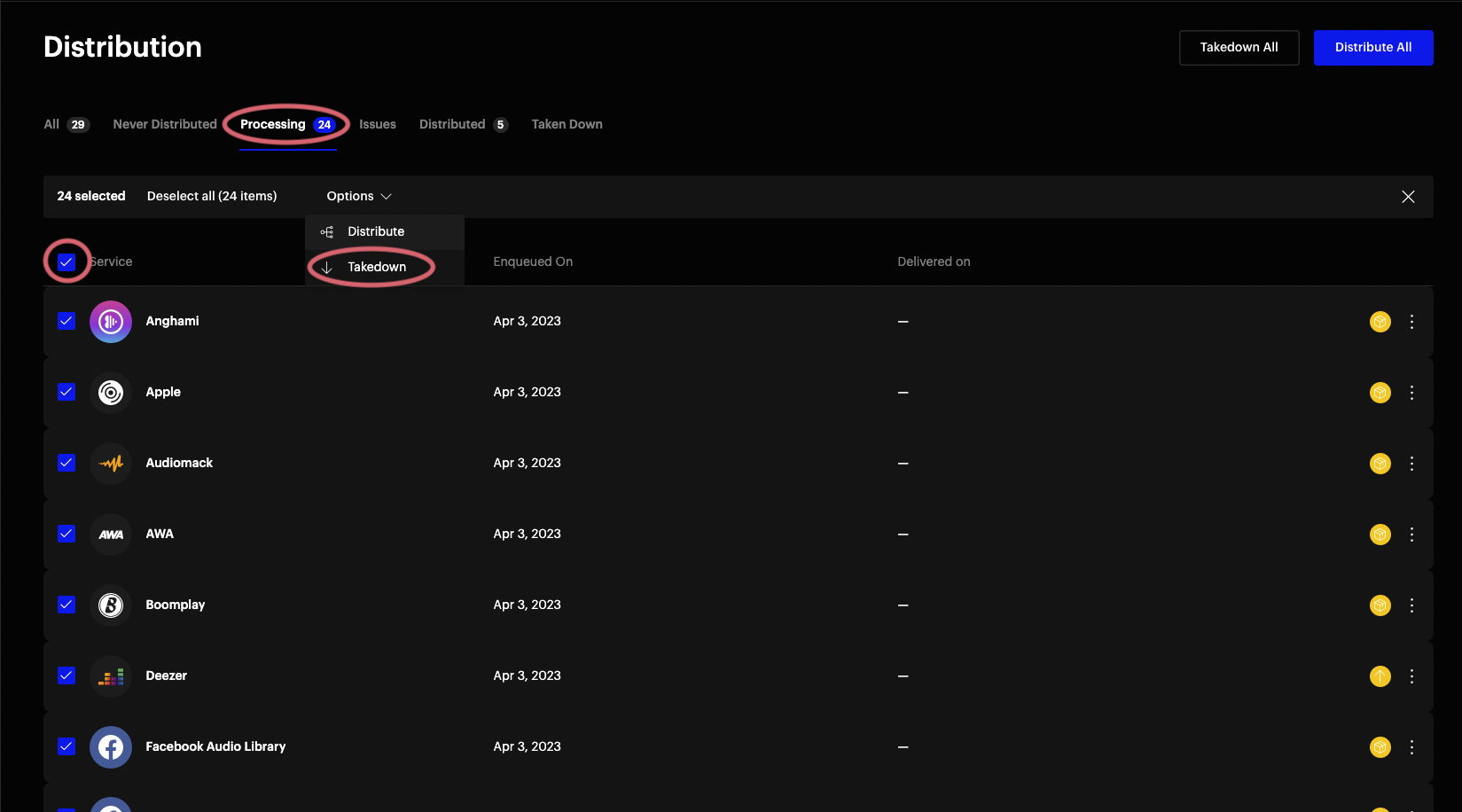
- Go to your release's Distribution page (Assets > Music > your release > Distribution)
- Switch to the Processing tab
- Select all DSPs still in delivery using the header checkbox
- In the action bar that appears, select: Options > Takedown
- Edit your release as usual
- Redeliver to all DSPs once finished. You'll typically want to redeliver to DSPs that already received the release, since you've changed the metadata.
Note: This does not issue a real takedown. It only puts the release in a takedown state for DSPs still processing. For a full takedown, repeat this process on the Distributed tab.